


PurpleVinyls™ Music Box
PurpleVinyls™ Music Box
Couldn't load pickup availability

PurpleVinyls™ Music Box

What’s included

What’s included
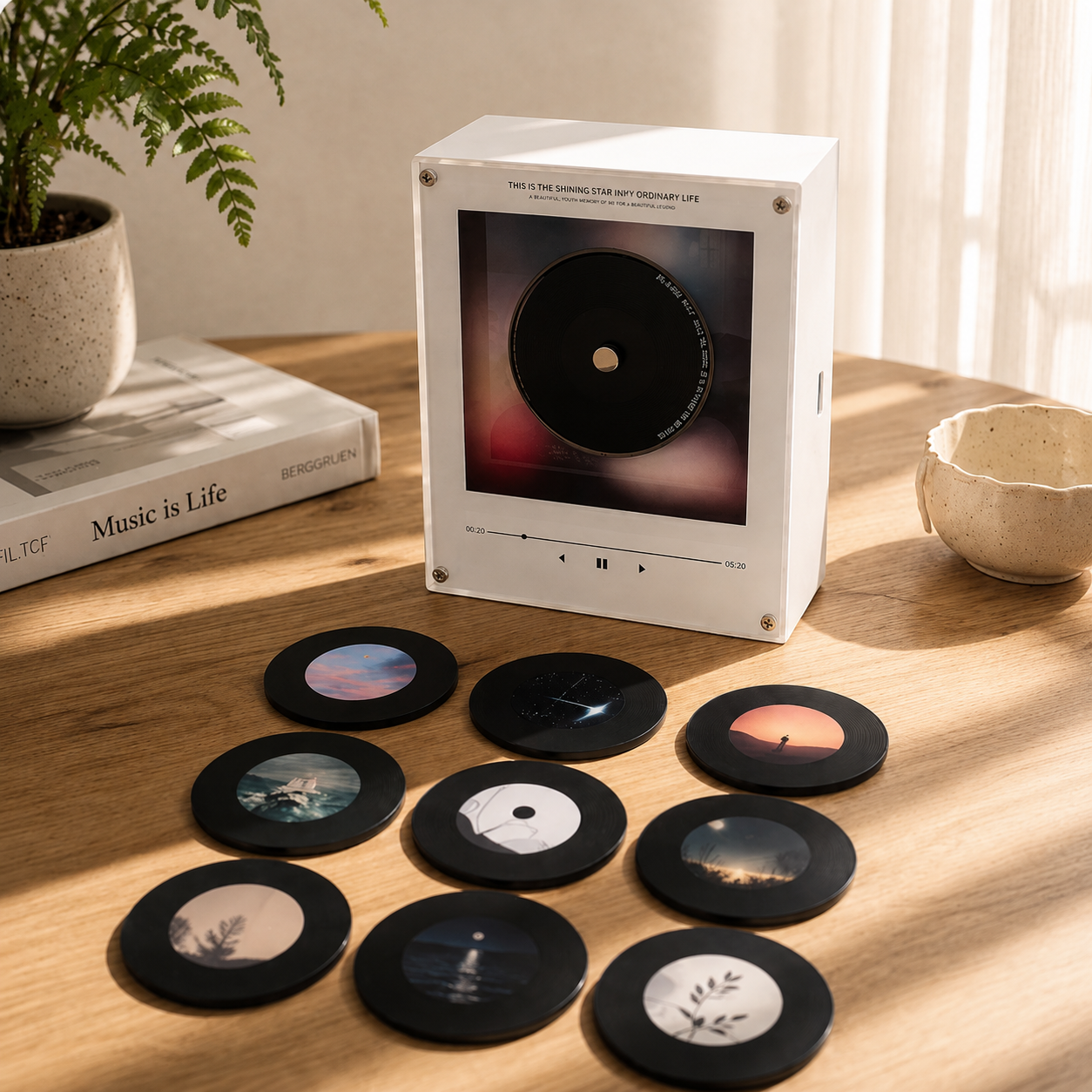
- 1 BTSVinyl music box
- 9 customized photo discs
- USB cable to import music
- premium keepsake box

Shipping & Returns

Shipping & Returns
Ships within 1–3 business days. Delivery typically takes 5–12 business days.
If your order arrives damaged or defective, contact us within 14 days and we’ll arrange a replacement.
We also offer a 30-day money-back guarantee — if you’re not satisfied, you can request a return within 30 days of delivery.

Free Worldwide Shipping
Premium Quality
30-Day Money Back Guarantee
Free Worldwide Shipping
Premium Quality
30-Day Money Back Guarantee
Free Worldwide Shipping
Premium Quality
30-Day Money Back Guarantee
Free Worldwide Shipping
Premium Quality
30-Day Money Back Guarantee
Free Worldwide Shipping
Premium Quality
30-Day Money Back Guarantee
Free Worldwide Shipping
Premium Quality
30-Day Money Back Guarantee
Free Worldwide Shipping
Premium Quality
30-Day Money Back Guarantee
Free Worldwide Shipping
Premium Quality
30-Day Money Back Guarantee
Free Worldwide Shipping
Premium Quality
30-Day Money Back Guarantee
Free Worldwide Shipping
Premium Quality
30-Day Money Back Guarantee
Free Worldwide Shipping
Premium Quality
30-Day Money Back Guarantee
Free Worldwide Shipping
Premium Quality
30-Day Money Back Guarantee

Set Your Vibe
A minimalist music player that brings your favorite songs into your space with a simple, aesthetic listening experience.
Made For ARMY
Made for ARMY who want to turn their favorite songs and memories into something personal and aesthetic 💜

Simple Setup, No Hassle
The BTSVinyl™ Mini Player is designed to be quick to use right out of the box, so you can start playing your records without any complicated setup.
The Internet's New Obsession!


Frequently Asked Questions
What’s included
What’s included
- 1 BTSVinyl music box
- 9 customized photo discs
- USB cable to import music
- premium keepsake box

How does it work

How does it work
Choose from our curated BTS-inspired/Taylor Swift preset designs, ready with beautifully styled photo discs.
Option 2 — Custom Memory Edition (COMING SOON)
Send us 9 of your own photos, and we’ll create a personalized disc set just for you.
Music Setup
Once your EchoVinyl arrives, you can easily import any song you want using the included step-by-step setup guide.
This means you can change the song anytime to match your favorite memories 💜
The Disk can hold one song and will play the whole song on repeat.

Customisation guide

Customisation guide
Adding your own song to the BTSVinyl Music Box is simple and takes less than a few minutes.
Step 1 — Connect to your computer
Use the included USB-C cable to connect the music box to your laptop or PC.
Step 2 — Open the folder
A folder named “NO NAME” will appear on your computer.
Step 3 — Select your disc slot
Inside, you’ll see folders labeled 1–9, each matching one magnetic disc.
Step 4 — Match the number
Check the number / symbol on the back of the disc and use the matching folder.
btsvinyls.shop/pages/disc-character-guide
Step 5 — Upload your song
Drag your MP3 file into the correct folder.
Step 6 — Enjoy your music
Safely eject the device, attach the disc, and your selected song is ready to play.

Return policy

Return policy
Contact us within 14 days and we’ll arrange a replacement.
We also offer a 30-day money-back guarantee — if you’re not satisfied, you can request a return within 30 days of delivery.

Customer Support

Customer Support
If you have any questions about your order or our products, feel free to email us at support@btsvinyls.shop
We typically respond within 24–48 working hours.